
Let us introduce Mikrofab Suite to your team
Whether you are an R&D and production laboratory or an academic research group, let us plan the use case that best fits you, together. There are two quick paths: request a live demo, or get a quote tailored to your setup.
Contact information
For demos and pricing you can write directly to our sales team, and for installation and usage to our technical support team. For general and sales enquiries use [email protected], and for technical support [email protected].
Our websites
For detailed information about the company and the product, you can visit our web addresses.
Demo and quote requests
Write to our sales team for live presentations, trial periods, licensing, and organization-specific quotes.
Installation and usage
For questions about installation, instrument connection (SMU / Switch Matrix), and the measurement and analysis workflow, our support team is at your side.
General questions
If you are not sure which team to write to, use our general contact address; we will route your request to the right team.
Contact form
You can fill in the form below and send us your request. Before sharing your information, please take a look at the note beneath the form.
Don't wait for us, start in simulation mode
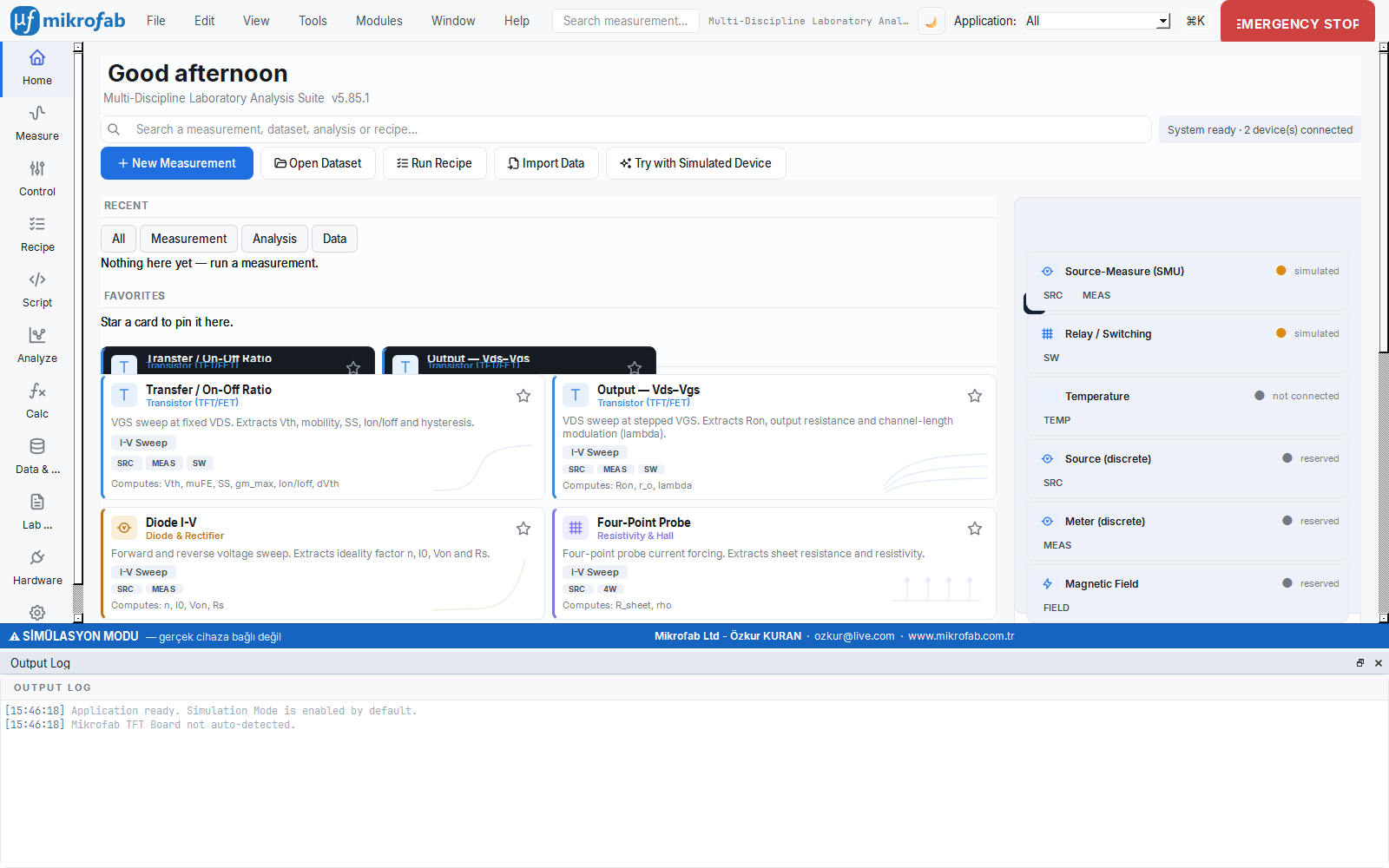
You can explore the software yourself before scheduling a demo. Mikrofab Suite opens by default in simulation (mock) mode: it generates consistent data, draws charts, and saves to file without needing a real instrument. The analysis and calculation workspaces can be used without limits even without a license.
- Simulation mode is unlimited; a fully functional trial without hardware
- Get started in one click with Try with Simulated Instrument on the Home cockpit
- The step-by-step guide walks you from setup to your first measurement
- 5 free lifetime measurements for a real instrument
Let's take the next step together
Tried it in simulation and ready to connect your instrument? Let us plan a demo tailored to your team and discuss the trial and licensing model to fit your needs.