
From semiconductor to solar cell, all characterization in one software
Measure transistors, diodes, photodetectors and photovoltaic devices with multi-vendor SMUs; extract defensible metrics from raw data, all under one shell. Get started instantly in simulation mode, with no hardware required.
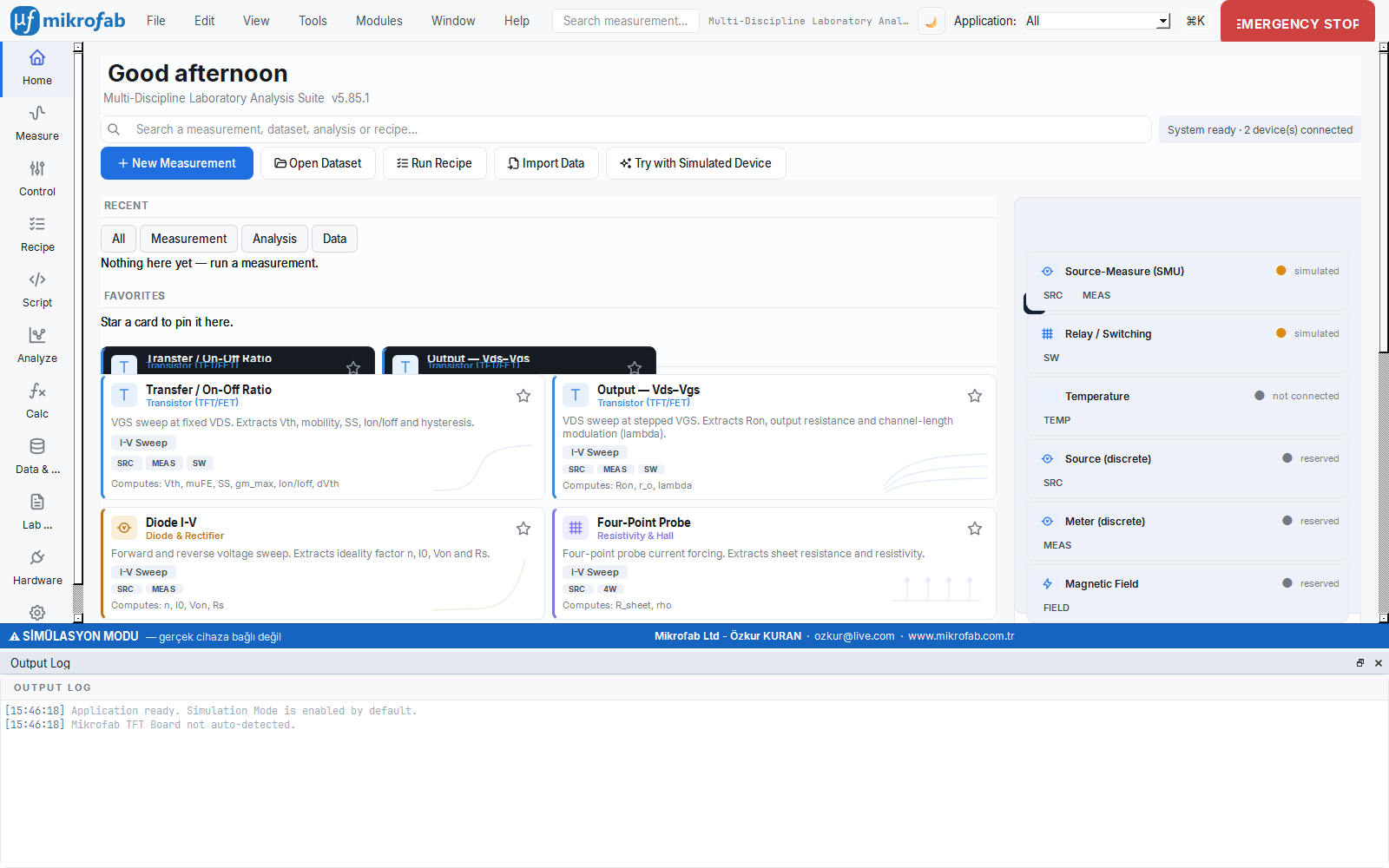
A single, integrated workspace for measurement, analysis and reporting
Instead of scattered scripts and instrument front-ends, a consistent shell that produces the data, turns it into physical metrics, and reports it traceably. Designed for R&D and production teams as well as academic laboratories.
Unified workspaces
Measurement, Control, Analysis, Calculation, Data and Reports, plus the Lab Notebook, all in one window. Reach any module in seconds with the command palette (Ctrl+K) and multi-language search.
Defensible analysis
A pure core independent of Qt; Vth, mobility, SS, Ion/Ioff, PV metrics and photodetector parameters are computed with standard methods, reproducibly.
Traceable reporting
Every result is archived, compared and turned into a customer-grade report. A summary database keeps the metrics; the full data always stays in CSV/XLSX/JSON files.
Lab Notebook (ELN)
A sample-centric electronic lab notebook: it links measurements, notes and results to the sample ID and preserves the complete experiment history.
Automation: REST & headless
Run jobs headless and use the local REST API server to script measurement sequences, connect to line systems and control everything remotely.
Simulation mode
The simulation (mock) engine, on by default, produces consistent data without a real instrument. Unlimited for training, trials and development; hardware can be brought online at any time.
Measurement: data straight from the instrument
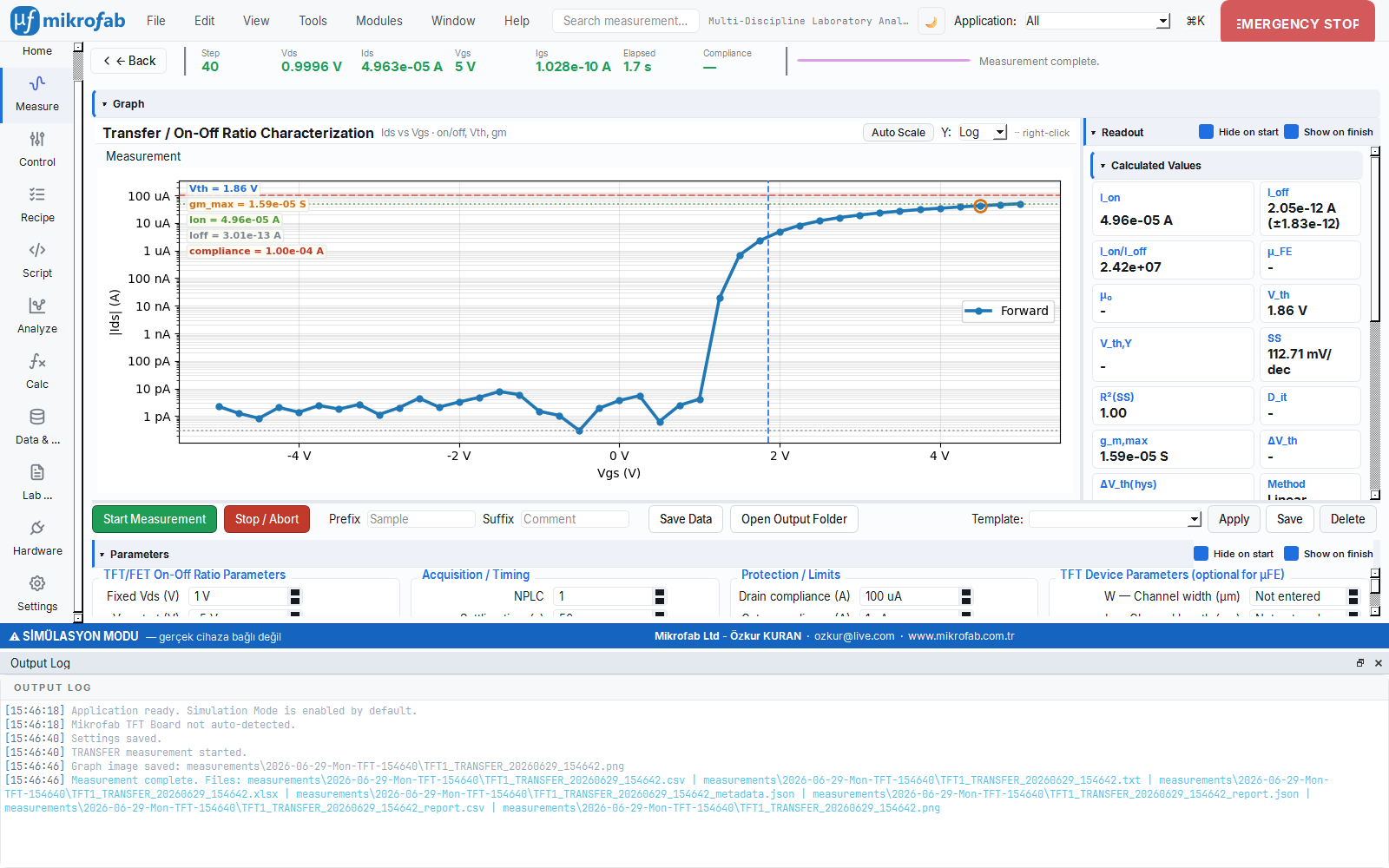
37 techniques including transfer and output (IV) curves, diode/Schottky, four-point and van der Pauw resistance, pulsed IV, bias-stress, hardware-triggered sweep and PV J-V. All with live plots and a readout panel.
- Preset gallery and recipe-based automatic sequencing
- Engineering (SI) number format: in inputs and on plot axes
- Always-accessible EMERGENCY STOP (E-STOP) and safe shutdown sequence
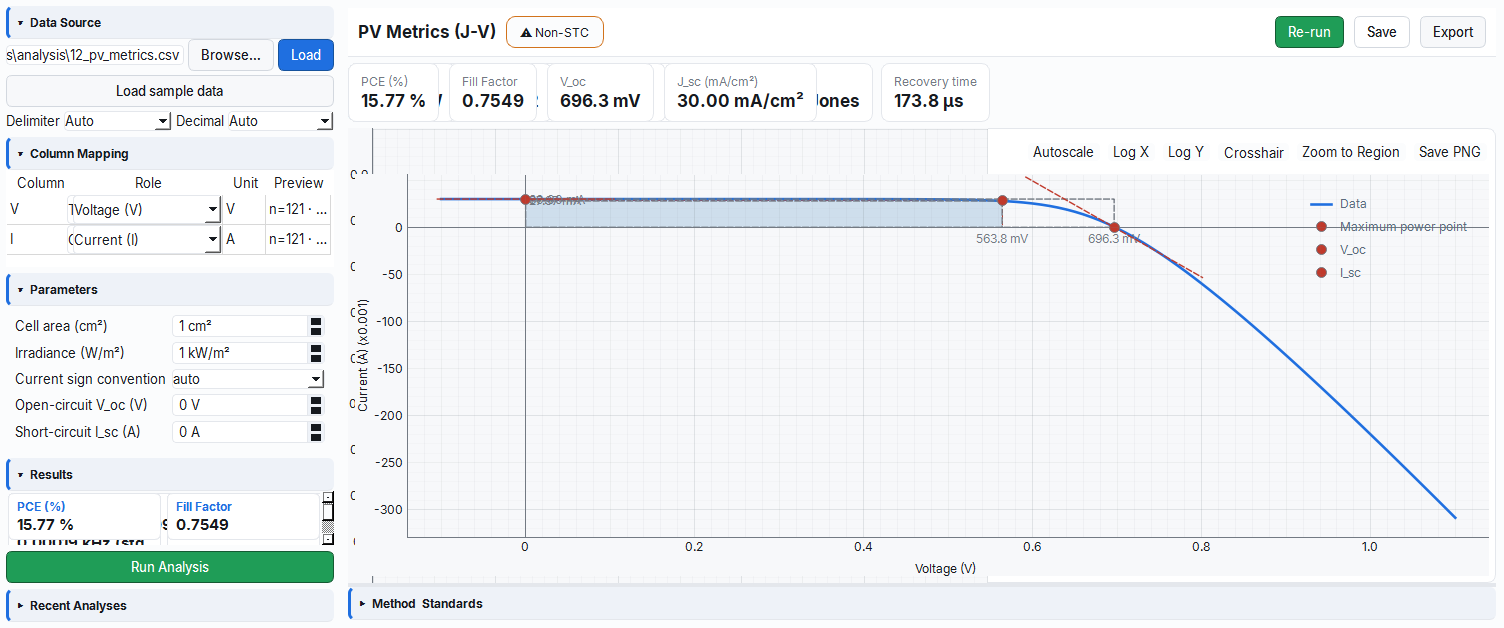
Analysis: physical metrics from a raw file
No instrument required. Extract PV metrics, time response, photodetector parameters and TFT quantities from a CSV/measurement file you upload. The pure core makes results transparent and reproducible.
- PV metrics: Voc, Jsc, FF, efficiency and equivalent-circuit extraction
- Auditable calculation steps shown with method plots
- 37 analysis modules; including LCR/impedance, noise and piezo-acoustic
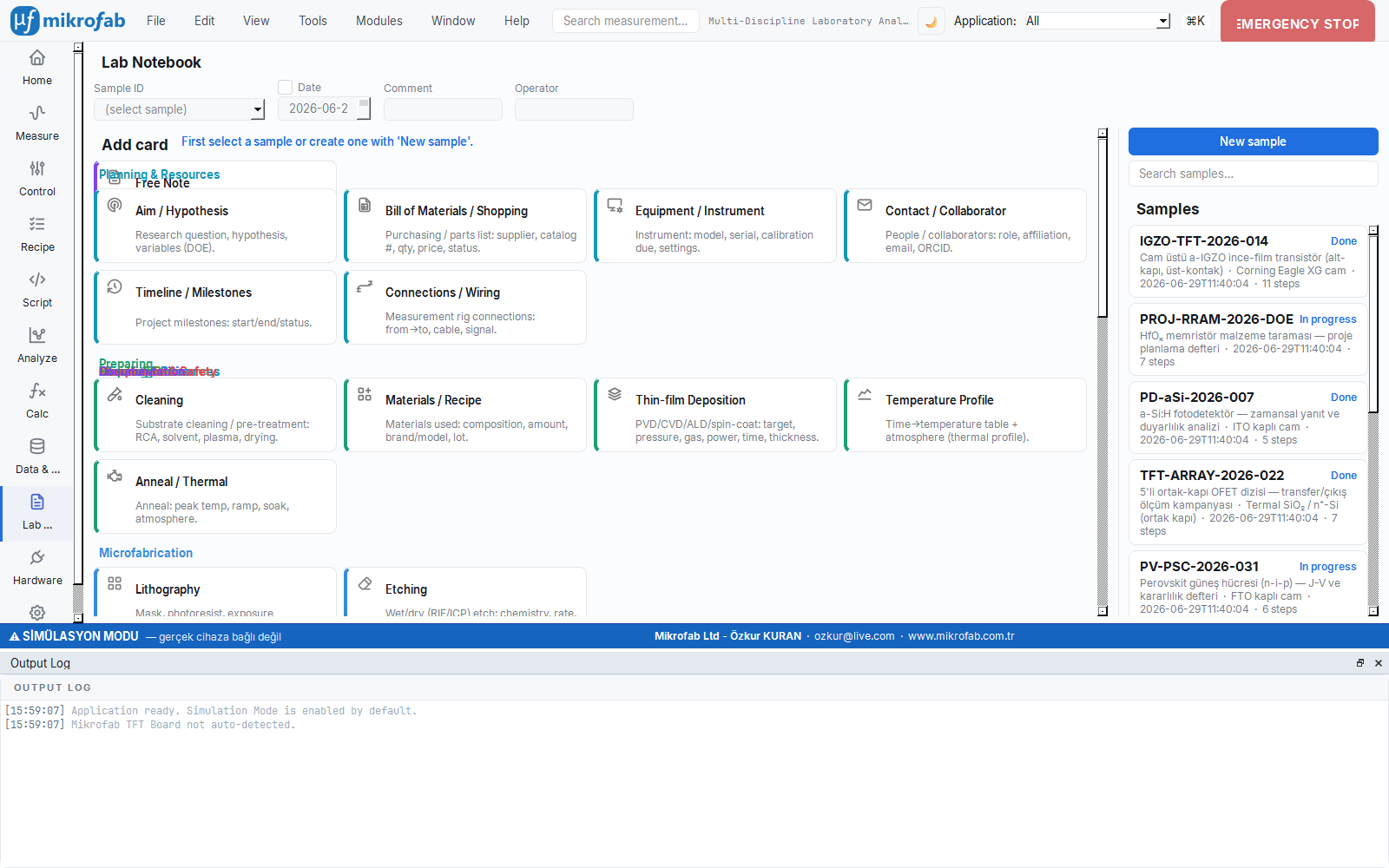
Lab Notebook: sample-centric records
The electronic lab notebook (ELN) ties measurements and analyses to the sample ID. Experiment history, notes and results together; a single source of truth for reporting and comparison.
- Per-sample timeline and attachment management
- Direct report generation from results
- Archive integrated with the Data and Reports workspace
From the professional lab to the academic classroom
The interface complexity scales with the user mode: a clean routine for the operator, full access and scripting for the expert and the developer.
R&D, process and production teams
- Routine, error-free measurement with ready-made presets and recipes
- Access to all parameters, advanced sweep and analysis
- Line and automation integration via REST/headless
- Customer-grade, traceable reports
Researchers and students
- Unlimited hands-on practice without hardware via simulation mode
- Visible, instructive calculation steps with method plots
- Multi-language interface (Turkish / English) and a manual
- Reproducible, transparent analysis for theses and papers
It shows the method behind every metric
Mikrofab Suite does not just give you the result; it shows how it was obtained. Extractions such as the tangent method for threshold voltage (Vth), gm for mobility, the subthreshold slope (SS) and the PV fill factor are presented with auditable method plots. The interface thus becomes a teaching resource alongside the experimental setup.
Explore the Academy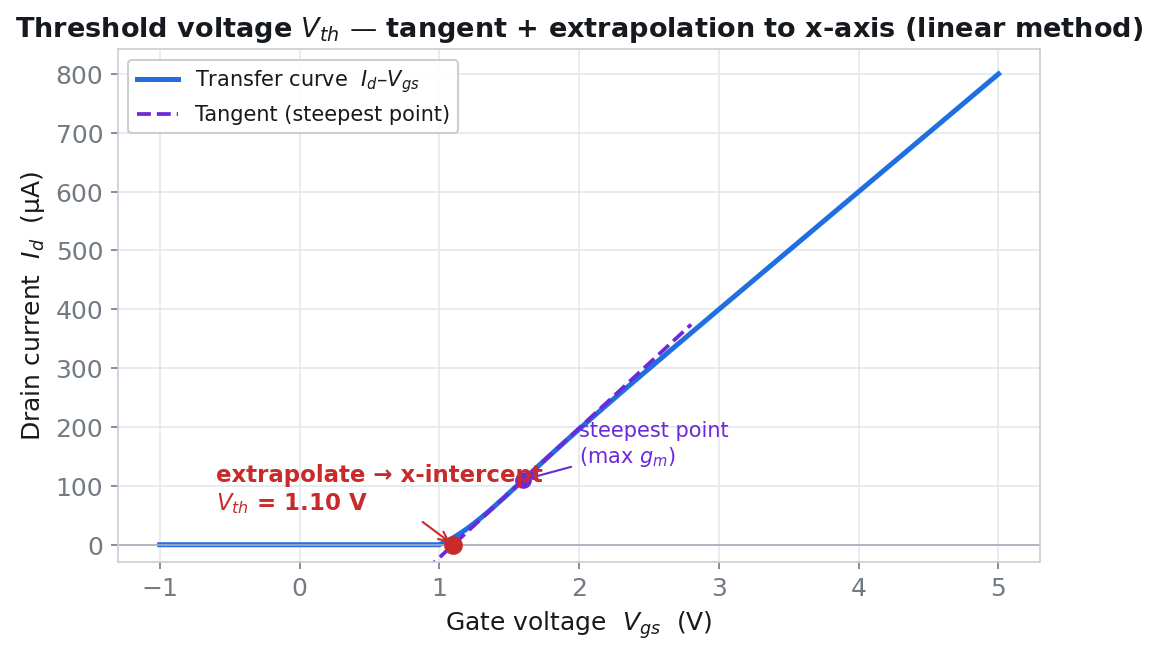
Try it first in simulation, then connect your instrument
Start with a trial + license model: simulation mode is unlimited, and analysis and calculation work even without a license. Let's schedule a demo to unlock the hardware and set up a configuration tailored to your team.